
Command Centre overview
Command Centre overview
The admin app you use to run every client engagement, and how it is laid out.
Command Centre overview
The Command Centre is the internal admin app at platform.hockeystickai.com/admin. It is where the HockeyStick team onboards clients, generates the Align deliverables, reviews them, and publishes them to each client's portal.
The left-hand navigation
| Section | What it is for |
|---|---|
| Dashboard | Cross-client overview: revenue KPIs, pipeline by stage, live activity |
| Clients | Every client org; search, filter by status, open a client |
| Progress | Kanban board of all engagements bucketed by stage |
| Monitoring | Job queues and agent run health; where you diagnose failures |
| Users | Team members and client contacts |
| HS Assets | The shared brand-logo library used in deliverables |
The Align engagement lifecycle
Every engagement moves through the same ordered stages. Each stage is owned by one agent, and you cannot skip ahead: an agent only unlocks once the previous stage is complete.
- Invited: the org exists and the client contact has been invited.
- Intake (Jo): the client completes their business profile.
- Workshop (Sam): generate the Workshop Pack.
- Mapping (Alex): generate the Opportunity Map.
- Alignment (Riley): generate the Board Pack and roadmap.
- Completed: all three packs published.
Where you do the work
Most of your time starts on the client detail page. Opening a client from the Clients list or the Progress board lands you on the Journey tab, with the per-agent Generate, Open and Review and publish actions, plus tabs for Intake, Worksheets, Brand, the Partnership Growth Roadmap, Packs, Products and Users, and a right rail with client info, activity and the readiness score.
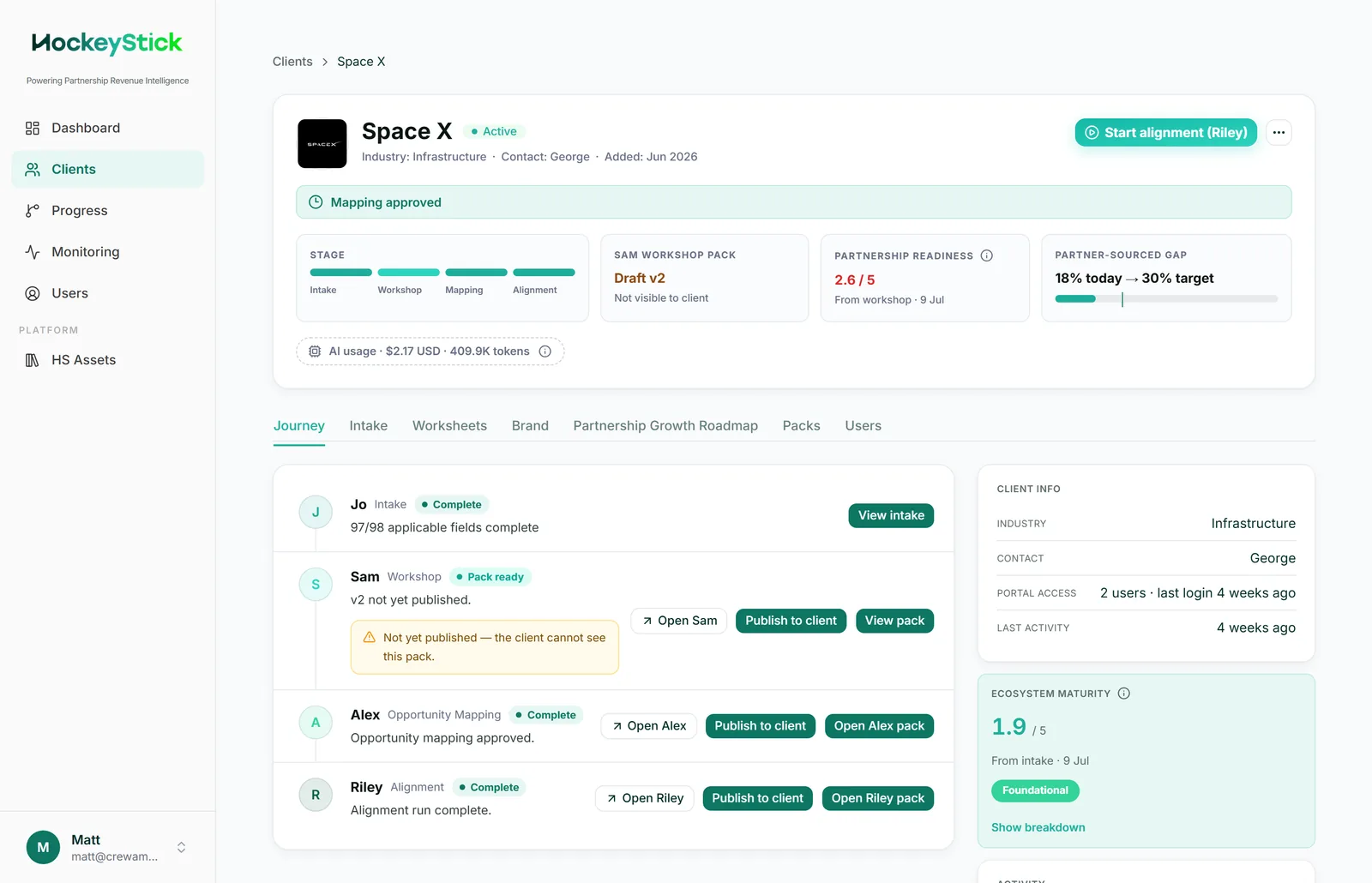
From there, for each agent there are two places you will spend time:
- The agent workspace (for example
/admin/sam/{engagement}) where you launch a run, watch it stream, regenerate individual deliverables, and publish. - The deliverable preview (
/deliverable/engagements/{engagement}/packs/current) where you read the pack exactly as the client will see it, inside admin chrome.