
Monitoring and operations
Monitoring agent runs
Watch generation jobs and agent run health from the Monitoring page.
Monitoring agent runs
The Monitoring page is where you watch generation work across every client. Open it from the Command Centre sidebar. It shows queue health, a table of recent agent runs, and a dead-letter table for permanent failures. Use it to confirm that runs you have launched are progressing, and to spot anything stuck or failed before a client is affected.
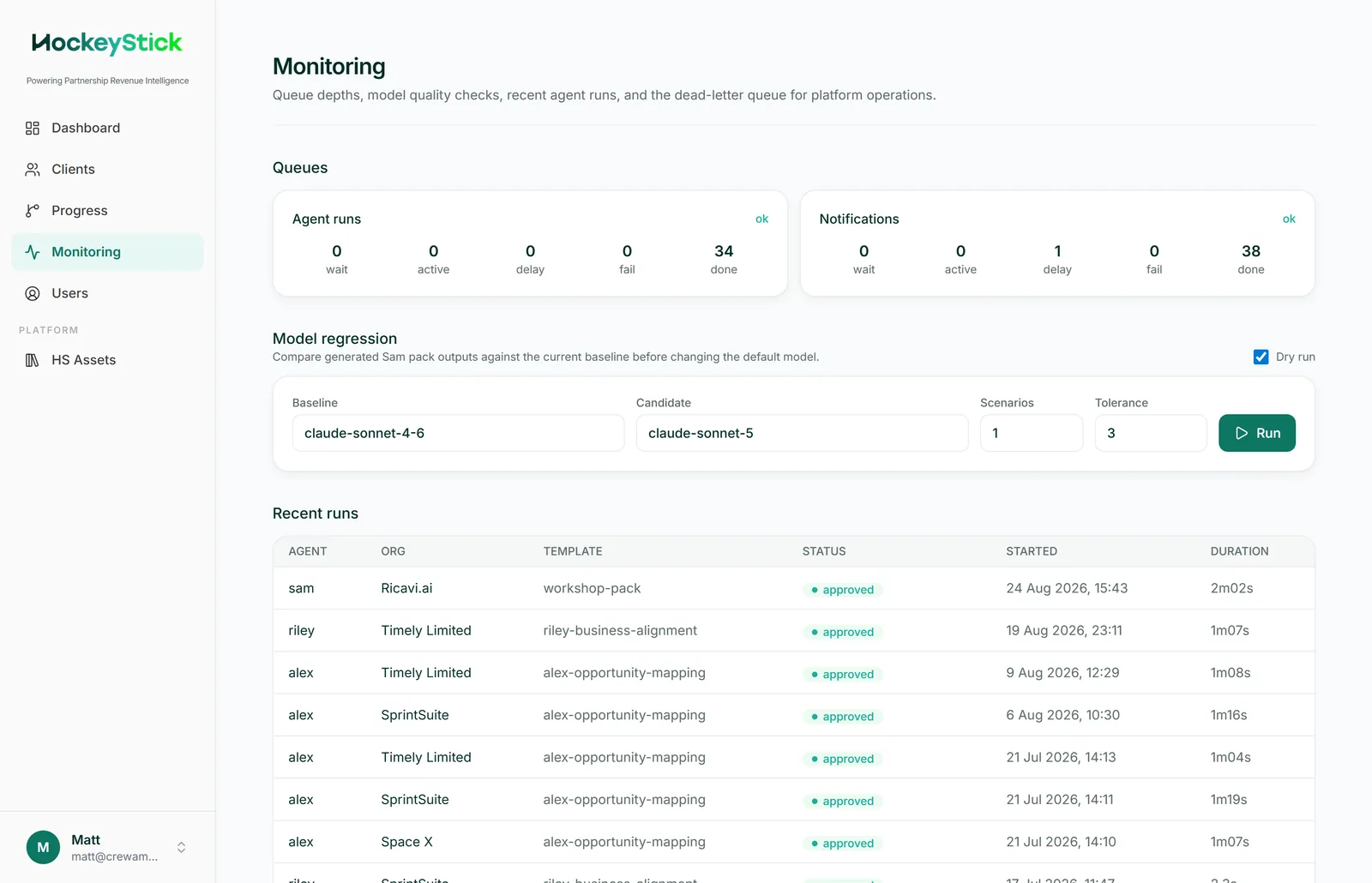
Queue health tiles
At the top of the page are queue health tiles: the agent queue, the notifications queue, and the other supporting queues. These tell you at a glance whether work is flowing. If a queue is backed up, runs will sit in queued longer than usual, so check here first when a launch seems slow to start.
The recent runs table
Below the tiles is the recent runs table, listing agent runs across clients with their current status. The statuses you will see:
| Status | What it means |
|---|---|
queued | The run is accepted and waiting for a worker to pick it up. |
running | Generation is in progress. |
awaiting_review | Generation finished and the pack is ready for a consultant to review before publishing. |
approved | The run has been reviewed and published to the client. |
failed_permanent | The run failed and will not retry on its own. It also appears in the dead-letter table. |
The dead-letter table
Permanent failures collect in a separate dead-letter table. This is where you diagnose failed generations. A run here has exhausted its retries and needs a person to act.
When to wait, when to act
queuedandrunning: wait. These are normal and resolve on their own. Give a busy queue time before assuming a problem.awaiting_review: act. Open the pack in the agent workspace, read it as the client will, and publish when it is right.failed_permanent: act. Work the failure from the dead-letter table.
For failures, see operations__troubleshooting-failures.html.