
Opportunity Mapping (Alex)
Mapping Partners to the Customer Journey
Build the heatmap of priority partners across the journey stages.
Mapping Partners to the Customer Journey (Alex)
This worksheet is a heatmap. Down one axis sit the client's priority partners, pulled from the ICP roster. Across the other sit the customer-journey stages. In each cell you record how much that partner contributes at that stage. Done well, it makes the client's ecosystem legible at a glance: where partners carry the journey, and where there is a hole no partner is covering.
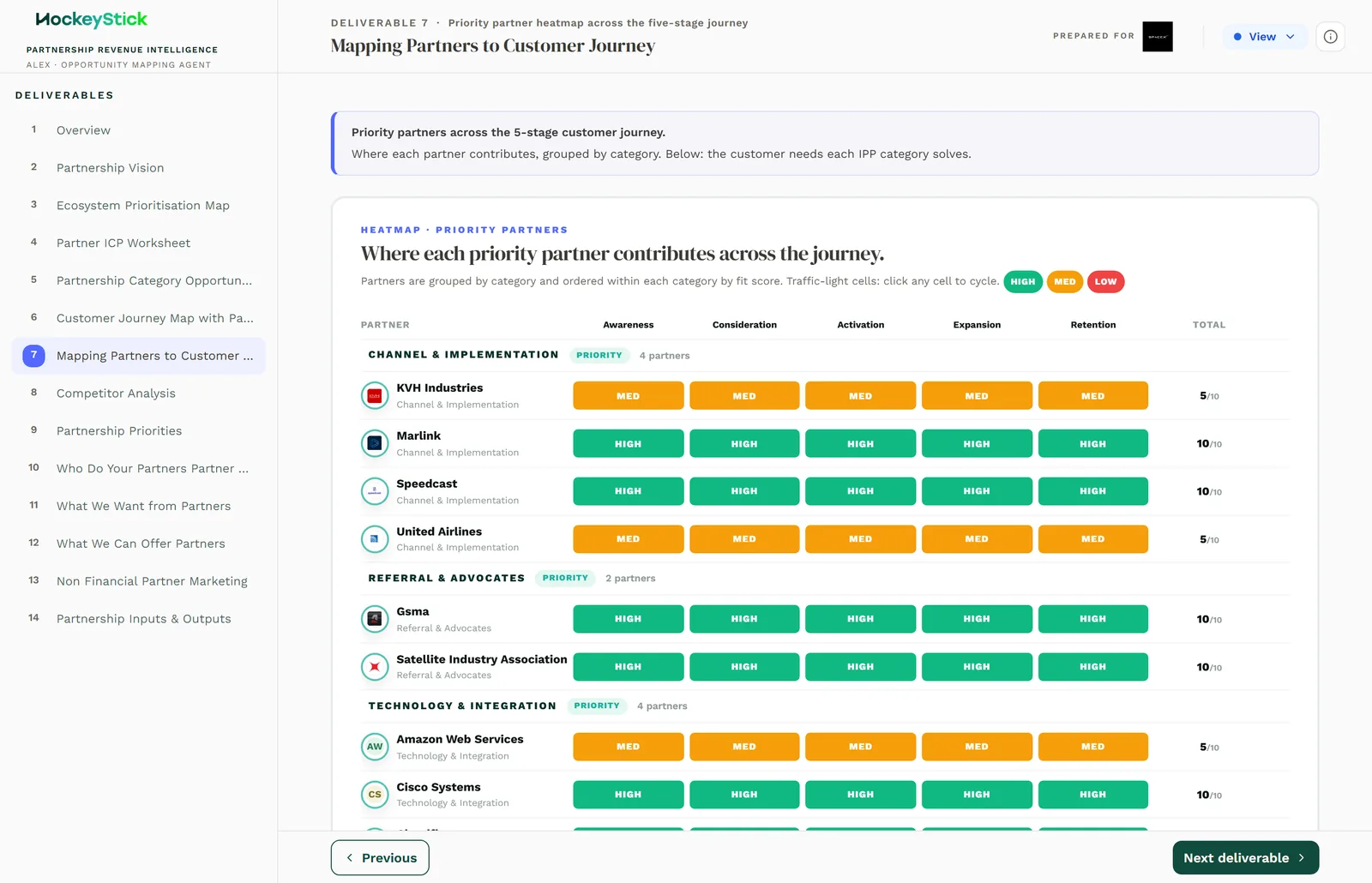
What goes in the grid
- Rows: the priority partners. These come from the ICP roster, so the partners
you place here should be the ones the Partner ICP Worksheet actually prioritised. Do not smuggle in partners that ICP put on Hold or Reject.
- Columns: the customer-journey stages. The same stages the ecosystem uses,
running from early awareness through to retention.
- Cells: intensity. How strongly that partner contributes at that stage.
The intensity levels
Each cell is set to one of four intensities:
| Level | Meaning |
|---|---|
| None | The partner plays no role at this stage. |
| Low | A light or occasional contribution. |
| Medium | A real, repeatable contribution, but not the main driver. |
| High | The partner is a primary mover at this stage. |
The point of the four levels is contrast. If every cell is High, the map tells you nothing. The value is in seeing a partner light up at one or two stages and go quiet elsewhere, and in spotting a whole column that never gets above Low.
It is entered manually
There is no scoring engine behind this worksheet. You set every cell yourself, based on what you know about each partner. That is deliberate: the map is a judgement, and it should read like one. Because it is manual, the discipline is to be honest about the None and Low cells rather than shading everything in.
Completing it
- Pull the priority partners from the ICP roster into the rows.
- For each partner, walk the stages left to right and set the intensity honestly,
using None where they genuinely do not contribute.
- Step back and read it as a heatmap: do the bright cells match how you would
describe each partner out loud?
Reviewing before publishing
- Every priority partner is placed. No ICP-prioritised partner is missing a row.
- Intensities are defensible. You can say why each High is a High, and the Nones
are real, not just unfilled cells.
- The gaps are intentional. Any journey stage with no strong partner is a
finding you are ready to talk about, not an oversight.
- The roster matches ICP. The partners on this map are the ones the Partner ICP
Worksheet actually prioritised, so the two tell the same story.