
Workshop Pack (Sam)
GTM Motion Gaps Worksheet
Capture the partner-closable gaps across the five customer-journey stages.
GTM Motion Gaps Worksheet (Sam)
The GTM Motion Gaps Worksheet maps the client's customer journey and pins down, stage by stage, where partners could close a gap. It is a fixed five-row worksheet: you edit the rows, you do not add or delete them. Your edits here drive the GTM Motion Gaps Recommendations, so the quality of the recommendations is the quality of your inputs.
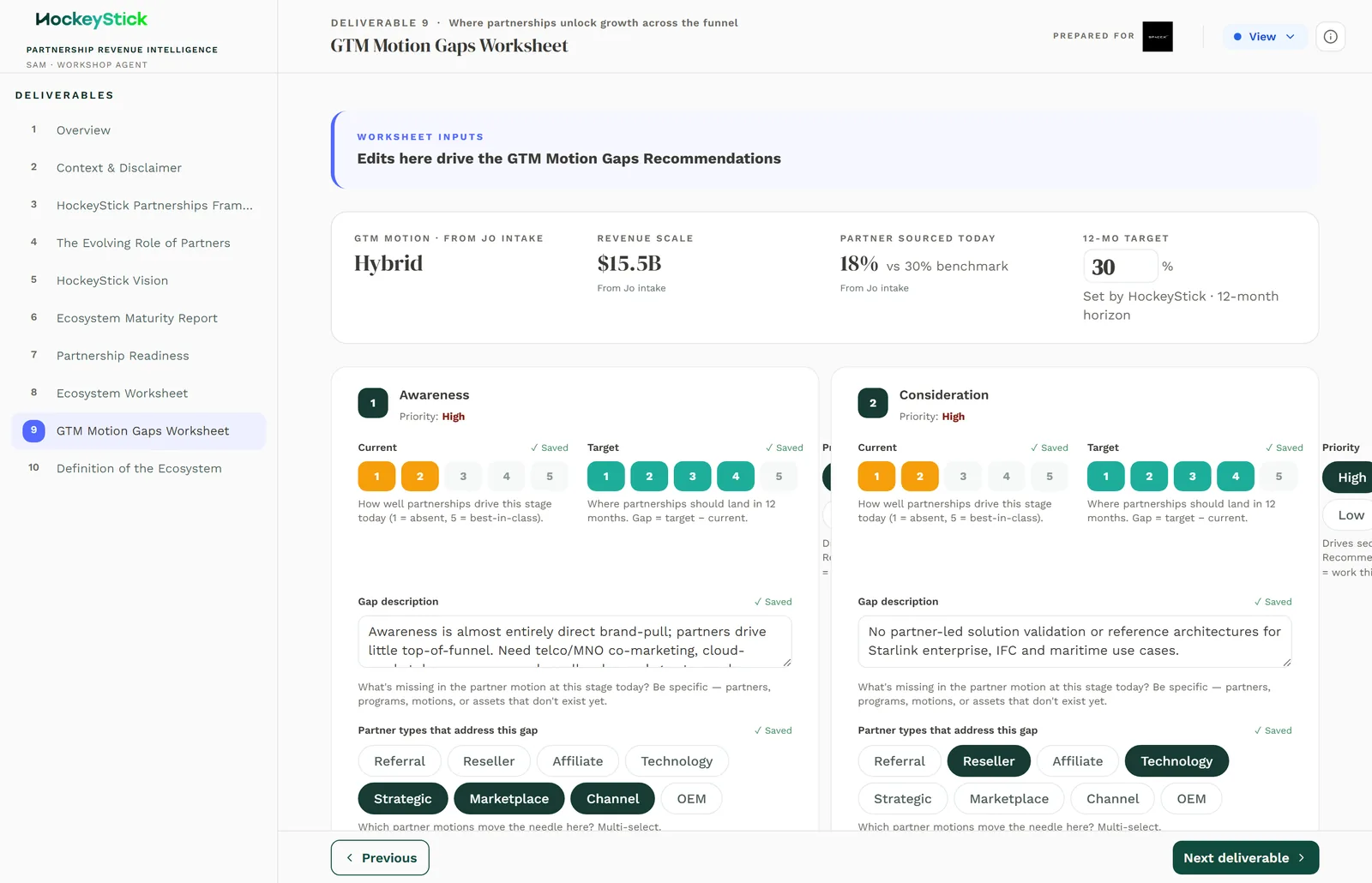
The five stages
The rows are the five fixed stages of the customer journey, in order. You cannot add or remove them; the worksheet is PATCH only:
- Awareness
- Consideration
- Activation
- Expansion
- Retention
Work them in sequence. A gap early in the journey (Awareness or Consideration) usually caps everything after it, so do not over-index on the later stages.
The per-stage fields
Each stage carries the same field set:
| Field | Type | What it captures |
|---|---|---|
| Stage description | Text | What this stage means for the client's journey. |
| Gap | Text | The current-state gap: where the motion is failing today. |
| Current score | 0-5 | How well the client runs this stage now. |
| Target score | 0-5 | Where it needs to be. |
| Priority | High / Medium / Low | How urgent closing this gap is. |
| Partner types | Multi-select | Which partner categories could close the gap. |
| Revenue impact | USD | The revenue at stake if the gap is closed. |
| Owner | Text | Who owns closing it. |
The scores run 0 to 5, not 1 to 5. A stage the client simply does not run can score 0. The gap between Current and Target is the size of the problem; the Revenue impact is what solving it is worth.
Total opportunity
The worksheet sums Revenue impact across the five stages into a total opportunity figure:
total opportunity = sum of revenue impact across all five stagesThe biggest-impact stages roll up as priorities, so a large Revenue impact on a stage is what pushes it to the top of the recommendations. Size every stage, even the ones you think are fine, so the total is real.
Completing it
- Write a Stage description for each of the five stages, tailored to the client.
- For each stage, name the Gap in plain terms: what is failing today.
- Set Current and Target scores 0 to 5. The delta is the problem size.
- Set Priority, then choose the Partner types that could close the gap.
- Put a Revenue impact (USD) on each stage and name an Owner.
Reviewing before publishing
- Every stage has a real gap and a real number. A blank Revenue impact drops
a stage out of the total and out of the priorities.
- Partner types actually close the gap. The whole worksheet is about
partner-closable gaps. If the fix is not a partner, say so plainly in the gap text rather than forcing a partner type.
- Priorities and revenue agree. A High priority stage with a tiny Revenue
impact, or the reverse, reads as an error. Reconcile them.
- Owners are named and sensible. Every non-trivial gap needs a plausible owner.
- The total opportunity is defensible. Read the sum. If the headline number
looks inflated or thin, it is because one stage is mis-sized.
Your edits feed the GTM Motion Gaps Recommendations inside the Sam workshop pack; check that page tells the same story before you publish.