
Workshop Pack (Sam)
Partnership Readiness
Sense-check the red/amber/green readiness picture and its blockers.
Reviewing Partnership Readiness (Sam)
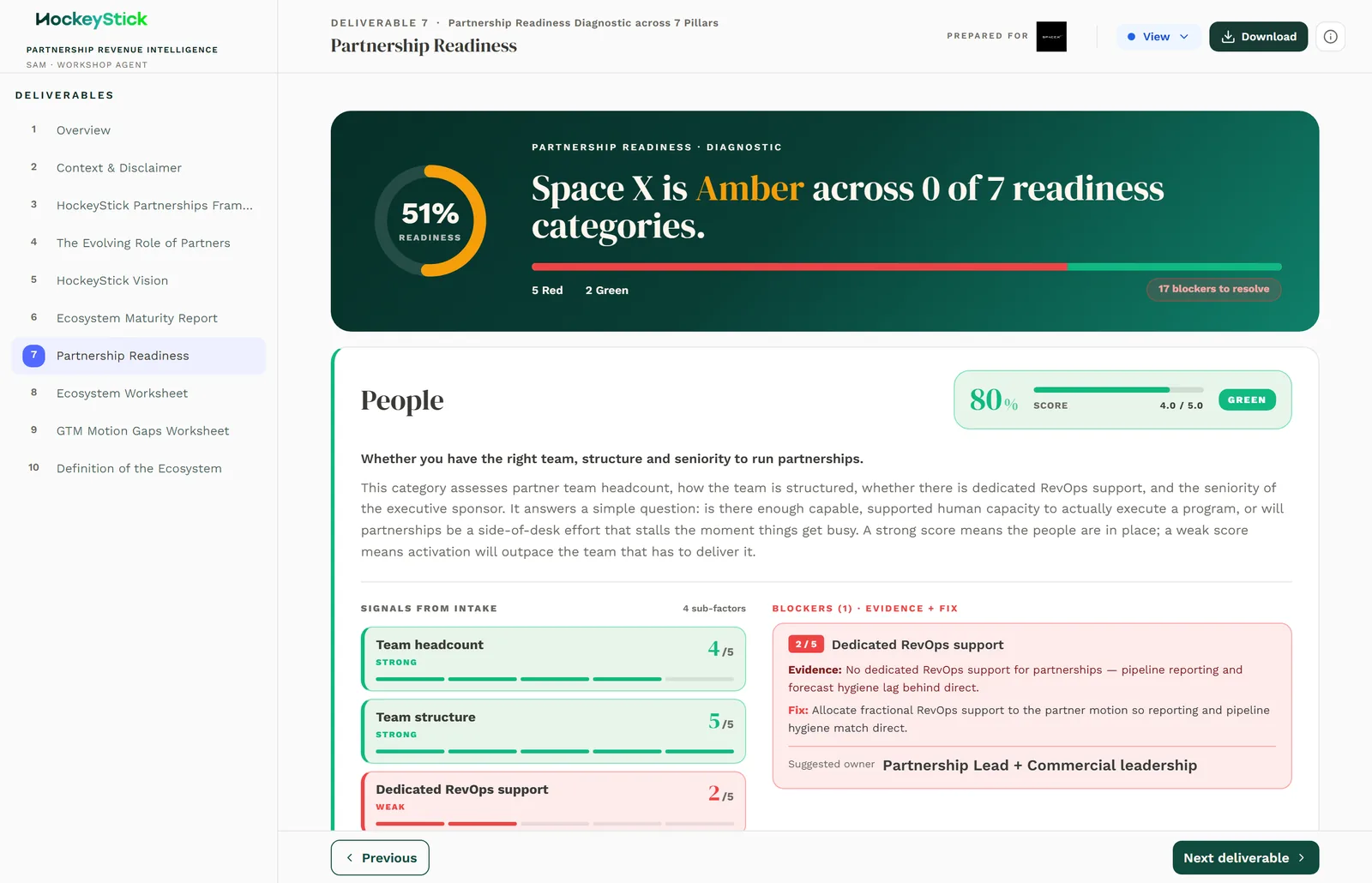
The Partnership Readiness diagnostic gives a red / amber / green picture of whether the client is ready to activate partnerships, category by category. Like the maturity report, it is LLM-generated from the intake and handed to you to correct. It is the reality check on the ambition: it tells the client what has to be true before activation, and where it is not true yet.
It is generated, not entered
The readiness picture is drafted by the model from the intake, then made editable for you. Every RAG status, its blockers, actions and owners can be corrected. Review it the way you would review an analyst's first draft: the shape is usually right, the calls on individual categories are where you earn your keep.
The seven categories
Readiness is assessed across seven categories:
- People
- Process
- Programs
- Technology
- Data
- Budget
- Executive Buy-in
RAG status, severity and blockers
Each category gets a red / amber / green status with a severity. The headline reads "{client} is {RAG} across N of 7 readiness categories", so the count of non-green categories is what the client sees first.
Where a category is not green, it also carries:
- Blockers: what specifically is not ready today.
- Pre-activation actions: what has to happen before activation to clear the
blocker.
- An owner suggested for each action.
Green categories need no blockers or actions. Red and amber must have both, and a named owner, or the client is left with a problem and no next step.
How to review it
- Does each RAG match reality? Test the status against the intake. A green on
Budget with no partnership budget mentioned anywhere is the model being optimistic; move it to amber or red. Equally, do not leave a red on a category the client has clearly sorted.
- Is the severity right? A red with low severity, or an amber with severe
blockers, reads as a contradiction. Reconcile the two.
- Are the blockers real? Each blocker should be something you could point to in
the intake or the workshop, not a generic risk. Cut vague blockers and sharpen the ones that survive.
- Are the actions and owners sensible? Every pre-activation action needs a
plausible owner and needs to actually clear its blocker. An action with no owner will not happen.
- Does the headline count add up? Confirm the "N of 7" in the headline matches
the number of non-green categories after your edits.
How to edit
Correct a category by changing its RAG status and severity, then updating its blockers, pre-activation actions and owners to match. Keep them in step: if you move a category to green, clear its blockers; if you move one to red, it must gain blockers, actions and an owner. When you change any status, re-check the headline count so the "N of 7" still reads true.
Once corrected, this sits in the Sam workshop pack alongside the Ecosystem Maturity Report.